Trade Intelligence with Zolltor AI
TariffPilot determines the customs tariff code for your goods. Zolltor AI adds the economic and regulatory context for that code — duties, trade agreements, trade statistics and regulatory alerts — without leaving TariffPilot.
Zolltor AI is a trade intelligence service by our partner Zolltor AI GmbH, based in Bremen and hosted in the EU. It continuously monitors official sources from the EU, UK, USA and WTO and structures what it finds per customs tariff code.
The integration is currently in beta. Every Zolltor AI button is marked with a Beta badge.
Where to find it
Zolltor AI lives on the summary page of a customs tariff proposal. Every card that holds a customs tariff code has its own Zolltor AI button, and each button opens the panel for exactly that code:
| Card | Code used |
|---|---|
Code from Proposal | the 8-digit code TariffPilot determined |
Selected Code from BTI | the 8-digit code of the BTI you selected |
Database Decision | the 8-digit code of the linked AI Training case |
This lets you compare competing codes before you commit: open Zolltor AI on the proposed code, then on the BTI code, and see where duties, controls or alerts differ.
What the panel shows
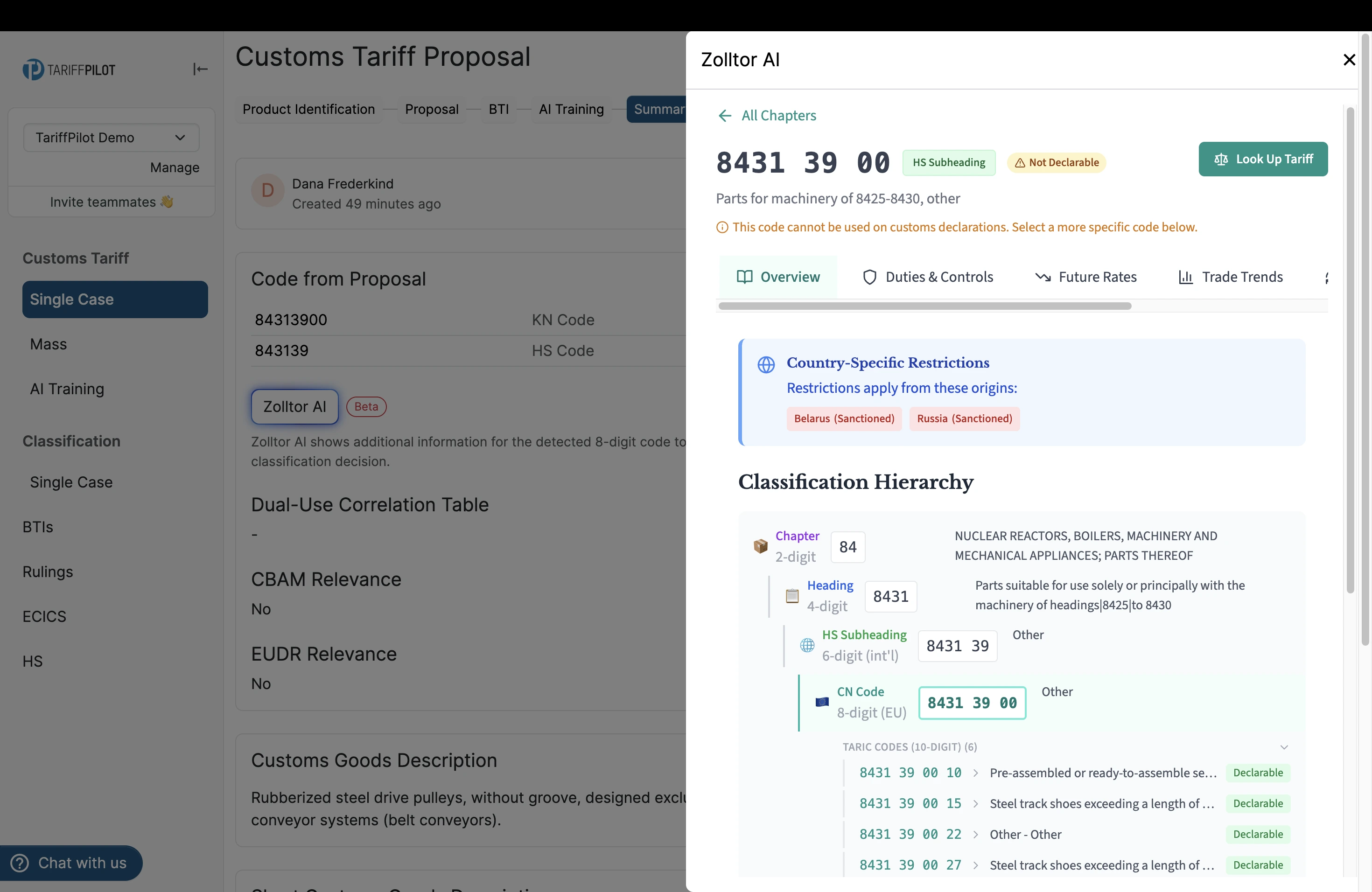
Clicking the button opens a panel on the right-hand side of the screen. Its header repeats the 8-digit code, states which level of the nomenclature it sits on, and tells you whether the code may be used on a customs declaration at all — a code that is merely an HS subheading is flagged Not Declarable together with a prompt to pick a more specific code.
Below the header, the information is split across six tabs.
Overview
Country-specific restrictions for the code, followed by the full classification hierarchy: from the 2-digit chapter through heading and HS subheading down to the 8-digit CN code and the 10-digit TARIC codes beneath it. Each TARIC code is marked as declarable or not, so you can see immediately which code actually belongs on a declaration.
Duties & Controls
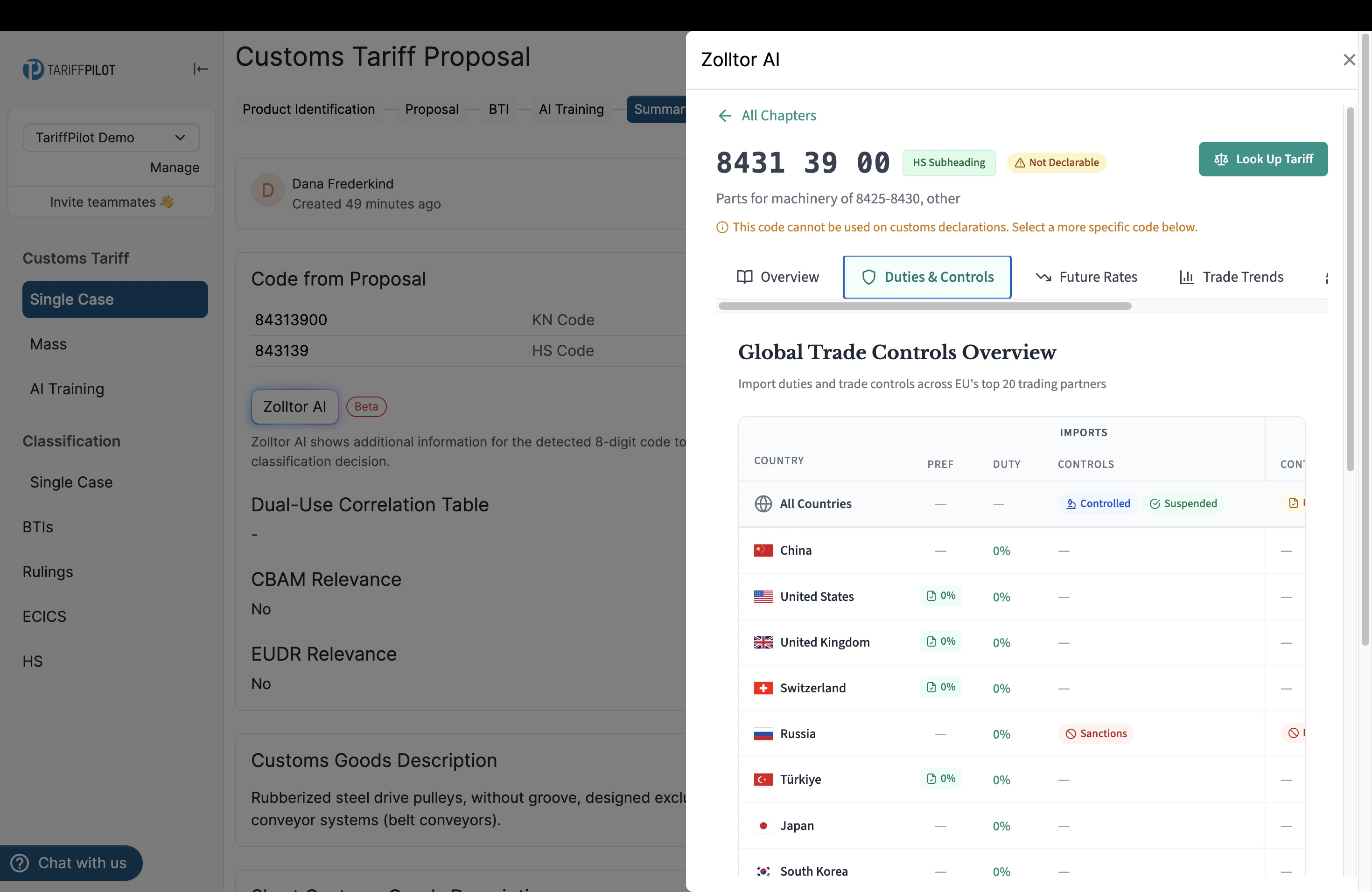
Import duties and trade controls across the EU's 20 most important trading partners, with preferential and standard duty rates side by side, plus import and export controls and current sanctions per country of origin.
Future Rates
Planned duty rates under free trade agreements, including the forecast year and the concrete saving per 100,000 EUR of import value — useful when you are deciding between procurement markets for the medium term.
Trade Trends
Annual EU import statistics by country of origin, including growth rates.
Change History
The history of changes recorded for the code.
Recent News
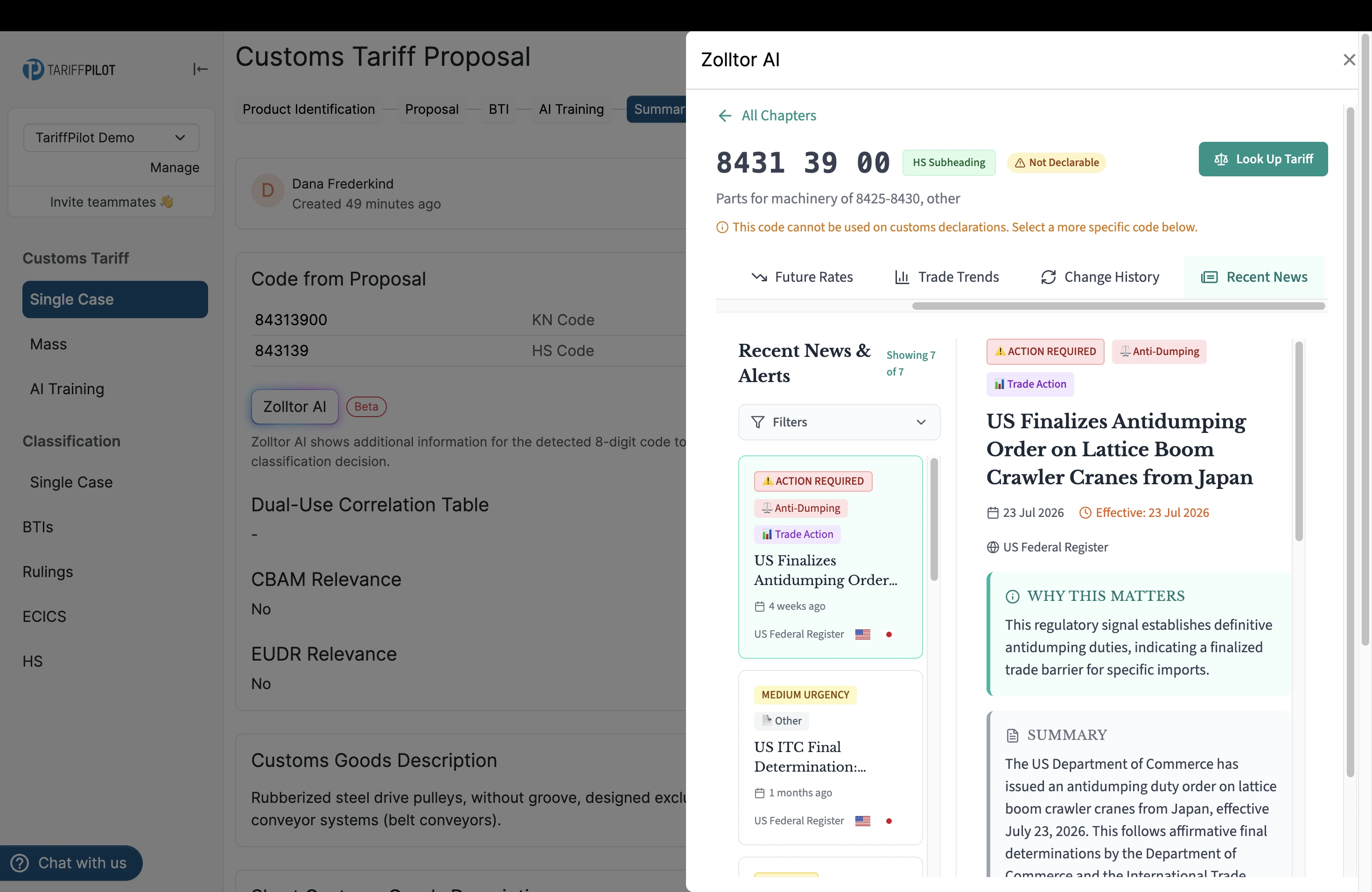
Regulatory alerts affecting the code, drawn from official sources such as the US Federal Register. Each entry carries an urgency rating and a category — anti-dumping or trade action, for example — and opens into a short summary explaining why the change matters for this code. Filters let you narrow the list down.
Close the panel to return to the summary. The panel is purely informational: nothing from it is written back to your proposal, and it does not appear in the proposal's PDF export.
When the button is greyed out
Zolltor AI works with 8-digit codes. A button stays disabled until its card holds a valid 8-digit code, and TariffPilot names the one it is waiting for:
- Zolltor AI is available as soon as a valid 8-digit KN code exists.
- Zolltor AI is available as soon as a valid 8-digit BTI code exists.
- Zolltor AI is available as soon as a valid 8-digit training sample code exists.
So the button on the proposal card becomes active once the classification has produced a code, and the other two become active once you have selected a BTI or a training case.
Good to know
Language — the panel follows your TariffPilot interface language. Switch TariffPilot between German and English and Zolltor AI follows.
Permissions — no separate role is required. Anyone who can open a customs tariff proposal can use Zolltor AI. See Invitations and Roles for how proposal access is assigned.
Third-party content — the panel is loaded directly from Zolltor AI into TariffPilot. TariffPilot passes the 8-digit code and an identifier for your user account so that Zolltor can render the matching page. If the panel reports that it could not be loaded, your network is most likely blocking the host embed.zolltor.ai — ask your IT team to allow it.
To learn more about Zolltor AI as a standalone platform, see our integration announcement or the Zolltor AI website.